
01
PacketiX / SoftEther client reuse
One Windows host already connects to the business VPN; proxy-aware PCs and VMs reuse its LAN endpoint without each installing the upstream client.
Explore this workflowWindows VPN & network sharing software
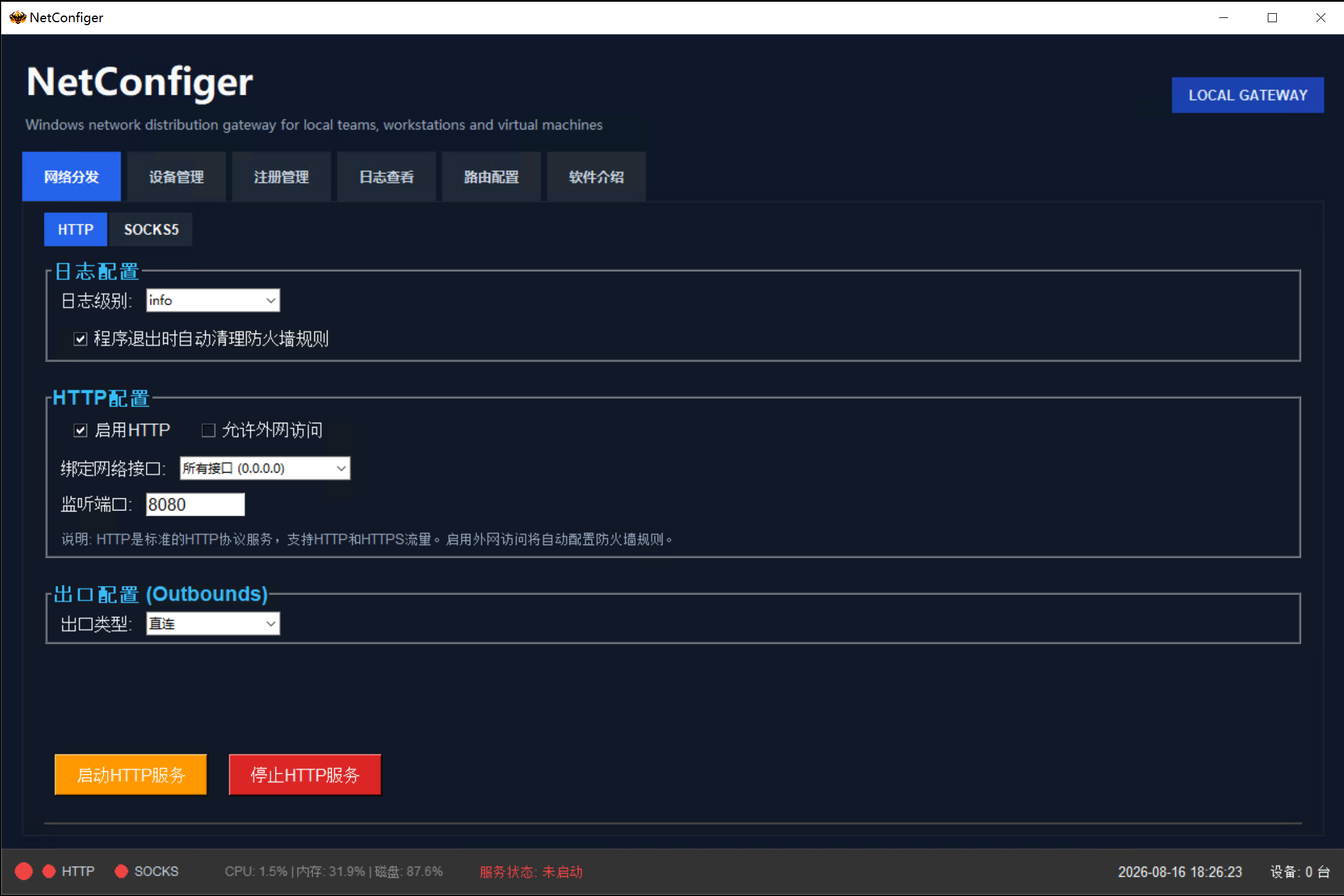
Already connected through SoftEther, PacketiX or a business VPN on Windows? NetConfiger exposes that connection as HTTP/SOCKS5 LAN endpoints, so compatible browser workstations, PCs and VMs can reuse it without installing the upstream client on every machine.
You bring the authorized upstream connection; downstream apps must support explicit HTTP/SOCKS5 proxy settings.
Screenshot unavailable. View the official software page instead.
Official product details ↗Where it fits
Each example assumes an existing, customer-owned Windows connection. Follow the links for full guidance in English.
One Windows host already connects to the business VPN; proxy-aware PCs and VMs reuse its LAN endpoint without each installing the upstream client.
Explore this workflowAds, pages, creative and support work on separate browser workstations. Give proxy-aware tools a consistent Windows-side entry and an easier handover.
Explore this workflowDocument the Windows host address, listening port and proxy setup across browser profiles, VMs and operations PCs.
Explore this workflowSetup workflow
Verify the host first, then the endpoint, then the real client app.
Verify your authorized SoftEther, PacketiX or business VPN already works on Windows.
Start the needed NetConfiger endpoint and confirm its actual LAN address and listening port.
Enter the endpoint in proxy-aware browsers, VMs or apps, then test the real business workflow.
Product scope
The upstream VPN client remains on the Windows host. NetConfiger provides explicit LAN proxy endpoints; compatible downstream apps use the host IP and port. This makes workstation setup, handover and troubleshooting more repeatable.
Scope: it does not transparently route an entire downstream PC, provide a Layer 2 bridge, or supply VPN accounts or proxy lines.
Get started
Official Windows installers, trial details, licensing and current pricing are managed on the NetConfiger website. This repository does not distribute software builds or licenses.